Add "INACTIVE" on the Location Name for Non PTU Accounts once Migrated to PTU Location on Back Office Support Tool
| Status |
Deployed - 30-Jun 2025 |
| Objective |
Allows the User to easily identify Non-PTU migrated locations |
| Pain Point |
Tagging became inconsistent and has to be done manually every single time |
| Audience |
Mosaic Employees / Internal |
| Requestor |
Data Implem |
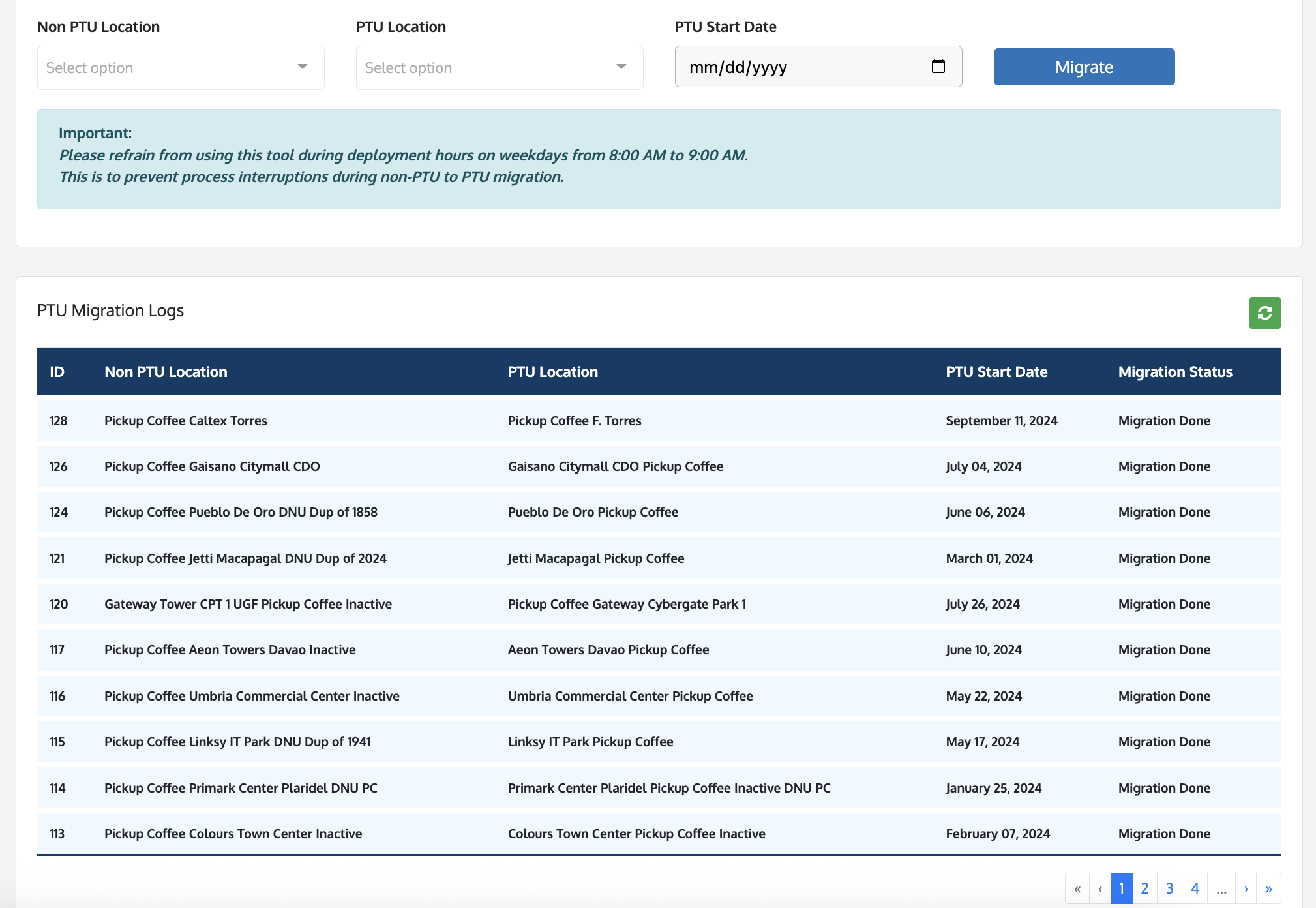
| Old State |
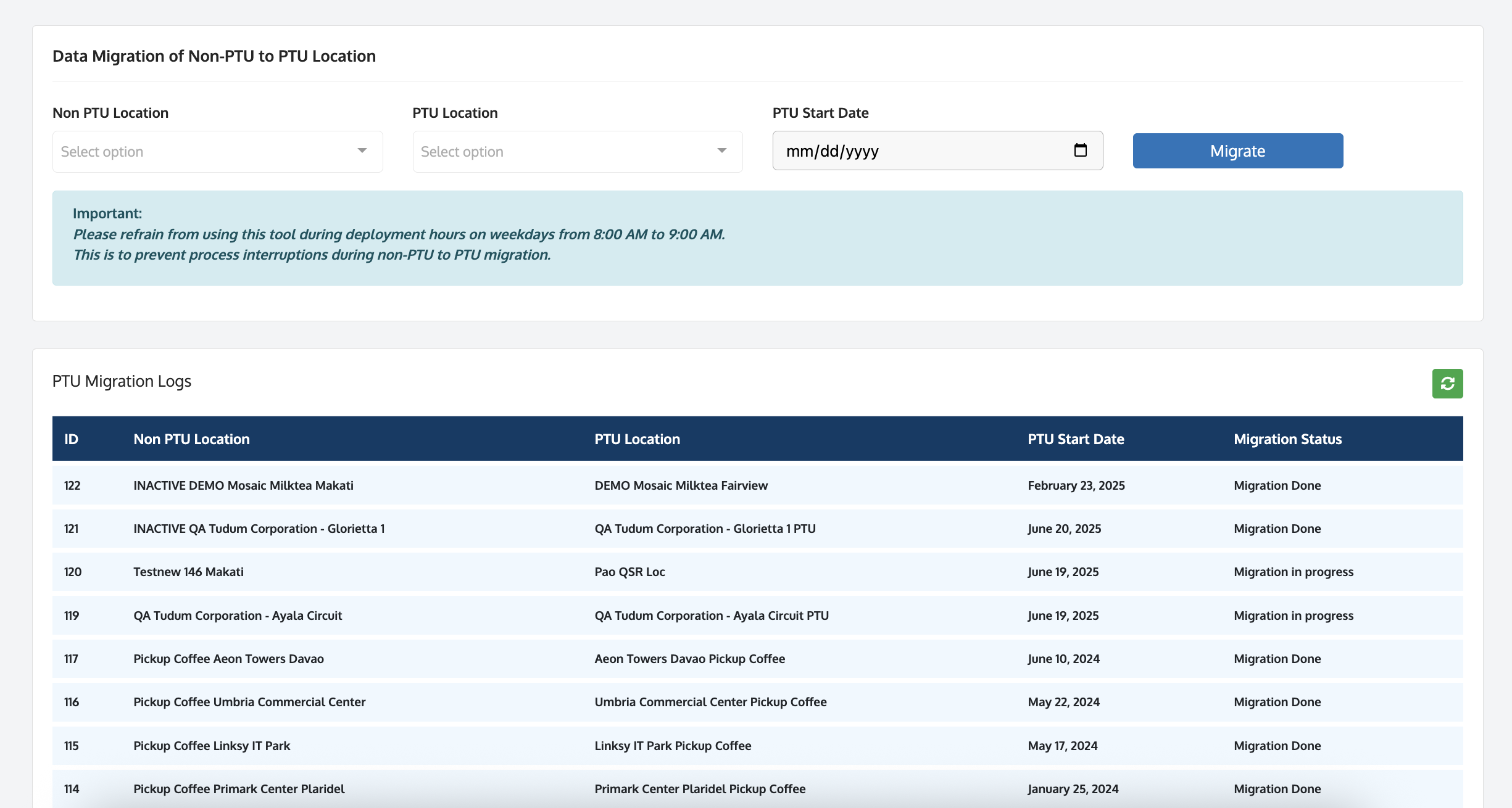
New State |
|
We manually tag migrated Non-PTU location by adding "inactive" or "DNU" labels at the end of the location name
|
"INACTIVE" will be added on the Non-PTU location name once migration to PTU is done
|
| How to Use |
- Log in on Back Office using Super Admin user access
- Go to Support Tool > Data Migration > Non-PTU to PTU Location
- Select the non-PTU Location
- Select the PTU Location
- Select the PTU Start Date
- Click Migrate to start the migration
- Observe that Non-PTU Location Name has "INACTIVE" label at the start of the name
|
| Future Improvement |
- Update the location status to from "Active" to "Inactive"
- Change Password of the Non-PTU Location so that they can't use it anymore
- Add a Filter for Account
- Add an Export CSV feature
|
Did this answer your question?
Thanks for the feedback
There was a problem submitting your feedback. Please try again later.
.jpg)
